
Run every bid from one place – requirements, deadlines and package
A bid can have strong answers and still fail on preparation. You must track the buyer’s documents, meet deadlines and check the final files. TedBid ties those tasks back to the tender material, with sources you can inspect instead of assumptions you have to reconstruct.
For bid managers and sales leads at IT consultancies, advisers and suppliers, the goal is to save time on every bid without losing sight of a requirement. Use one tender overview to move from the first decision to a package you review and upload yourself.
Bid management software grounded in the source material
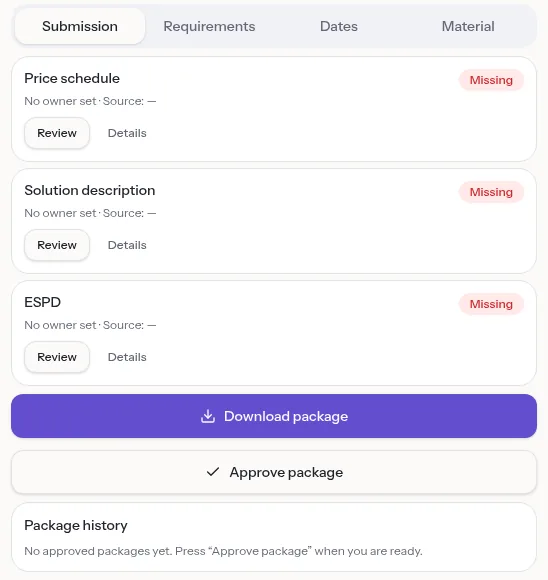
Upload the tender files: PDF, Word, spreadsheets, text files and ZIP archives. TedBid finds requirements with file-and-page sources and builds the submission list with the buyer’s own document names.
You do not have to fit every opportunity into a fixed template. The structure comes from the individual tender, and fields absent from the material show as not stated.
Assess the opportunity before committing the team
Use the go/no-go overview to see minimum requirements, deadlines and risks together, matched against your company profile, before drafting takes over the discussion.
Start with what you must meet and what you would commit to. A clear early review gives your team a reasoned basis for bidding, asking questions or saying no.
Plan around the buyer’s actual deadlines
TedBid places question deadlines, submission deadlines and other dates on a timeline with sources. Check the underlying instruction before you rely on a date in planning.
Keep the question deadline in view as well as the final hand-in. Unclear requirements deserve attention while you can still raise them.
Check the package, not just the prose
The pre-submission check looks at the details outside the main text. A readable answer is only one part of preparing the files the buyer asks for.
- Find unresolved markers before treating content as finished.
- Check file formats and page limits against the material.
- Review reservations and signature requirements.
- Use the consistency check for differing registration numbers and years.
Work as a team with clear roles
Six roles from owner to viewer control who may edit and approve. Data is separated per organisation and enforced in the database. Approved answers go into a shared answer library for the next bid.
Approve the package and upload it yourself
TedBid produces a submission ZIP with Word/PDF files and a QA report, and ESPD as XML. A package approval is saved in the package history, so you can always see what was approved.
The package and checklist are made for Mercell, EU-Supply/ETHICS, Comdia, iBinder and udbud.dk. TedBid never submits anything: you upload the files yourself and answer impartiality and signing authority yourself.
From first look to approved package
A bid in TedBid moves through a few clear steps. You can see at any time where it stands and what is left.
- Upload the material and get requirements, deadlines and the submission list with sources.
- Decide go or no-go with the minimum requirements in front of you.
- Draft answers in the chat and assign the rest to colleagues.
- Review each document against the tender’s own criteria.
- Approve the package and upload it yourself in the portal.
Frequently asked questions
Does TedBid guarantee a compliant submission?
No. Its requirement sources and checks support your review. You remain responsible for the final content and for uploading the response to the buyer’s platform.
Can I use Claude or ChatGPT during bid preparation?
Yes. Through MCP you can read requirements, deadlines and documents and edit draft answers. You sign in and consent. Nothing is approved or submitted automatically.
Is TedBid available in English?
The website is in English and Danish. The app interface is in Danish today. TedBid reads tender material in Danish and English.
Can I try one case without a paid plan?
Yes. The Free plan includes one active case and needs no card.
Try it on your next tender
Upload the material and see requirements, deadlines and the submission list with sources. Free plan, no card required.